Classes in Lexa are used to organize your students and assignments. You can organize them by subject, grade level, or however you prefer.
Key Information
Key Information
- Create classes to organize students by subject or grade
- Each class gets a unique 6-character code
- Students use this code to join your class
- You can create unlimited classes
How to Create a Class
-
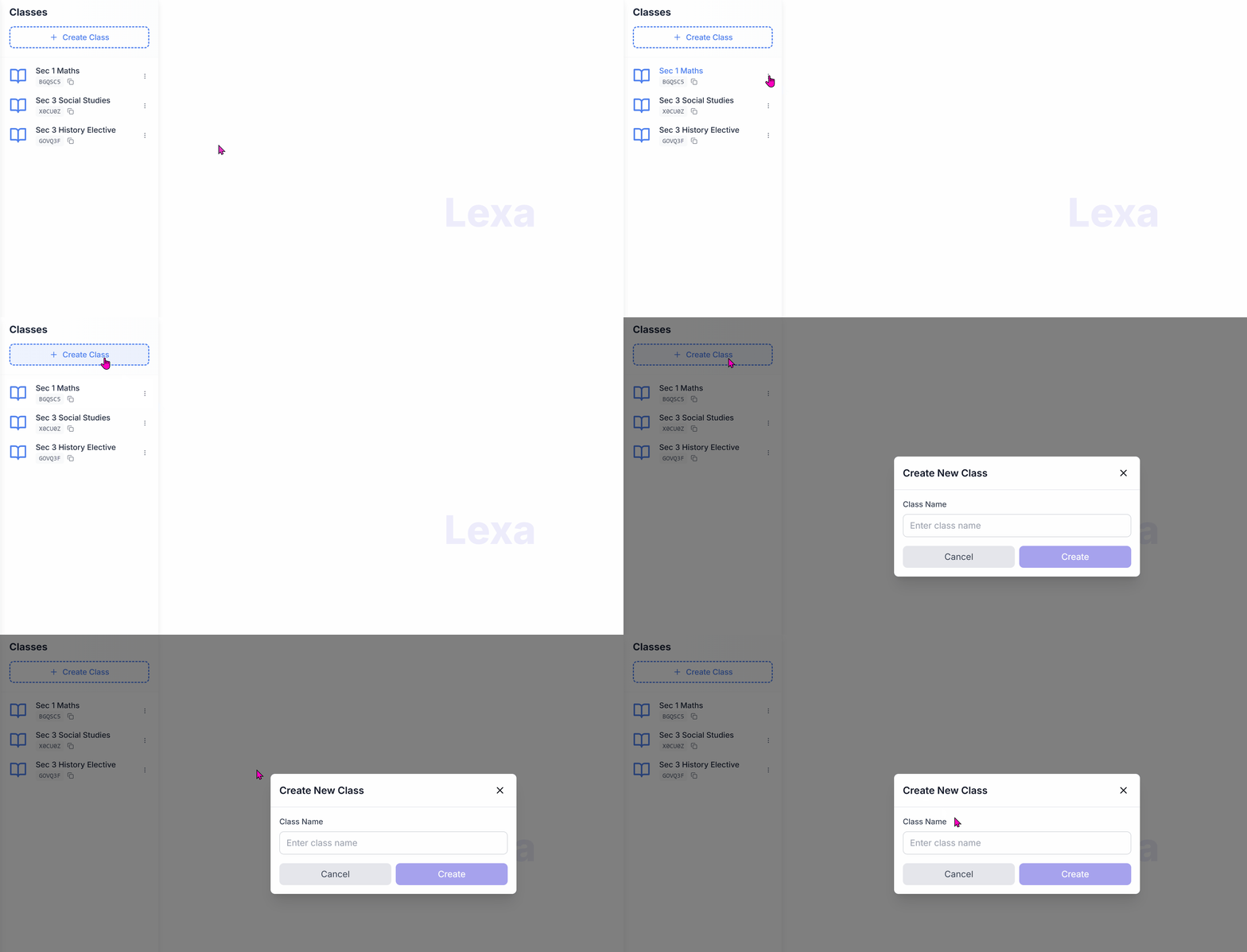
From your dashboard, click on My Classes in the left sidebar.
-
Click the Create New Class button at the top of the page.
-
Enter the Class Name, Subject, and optionally a Description.
-
Click Create to generate your class and unique class code.
-
Share the Class Code with your students so they can join.
Class Code
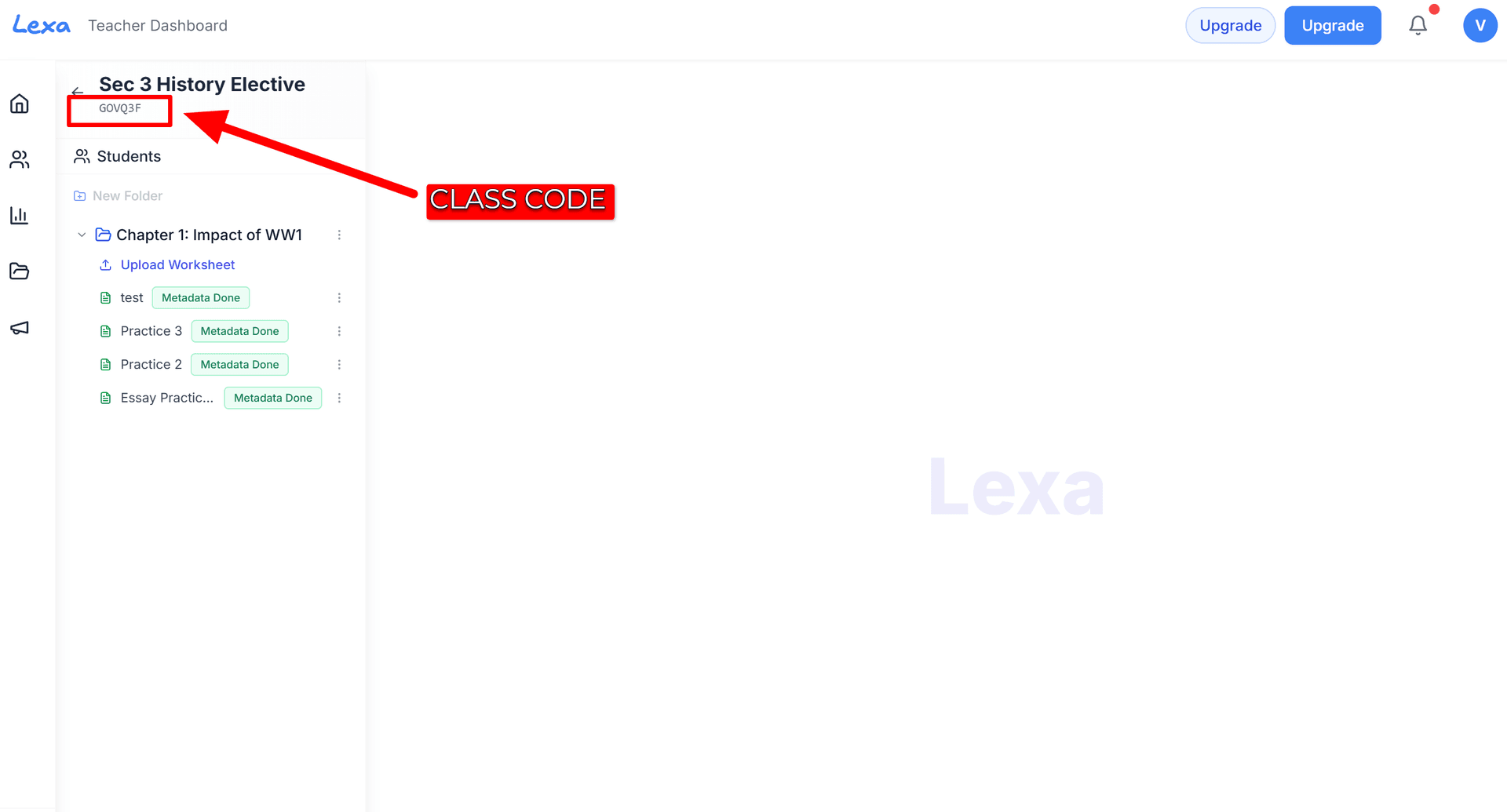
Once your class is created, Lexa automatically generates a unique class code. Students use this code to join your class. You can find it displayed at the top of your class page.
Tips
- Use descriptive names like "Math 101 - Period 2" so students can easily identify your class.
- You can create multiple classes for different subjects or periods.
- Students can enter the class code in uppercase or lowercase.
Next Steps
After creating your class, you can:
- Add materials to your knowledgebase
- Upload your first worksheet
- Invite students using the class code