Lexa lets you open a student's worksheet and provide feedback through annotations.
Key Information
Key Information
- Select a student to load their worksheet
- Add text comments directly on their work
- Use highlight tool to draw attention
- Students see your annotations immediately
- Monitor progress during class time
How to Spectate
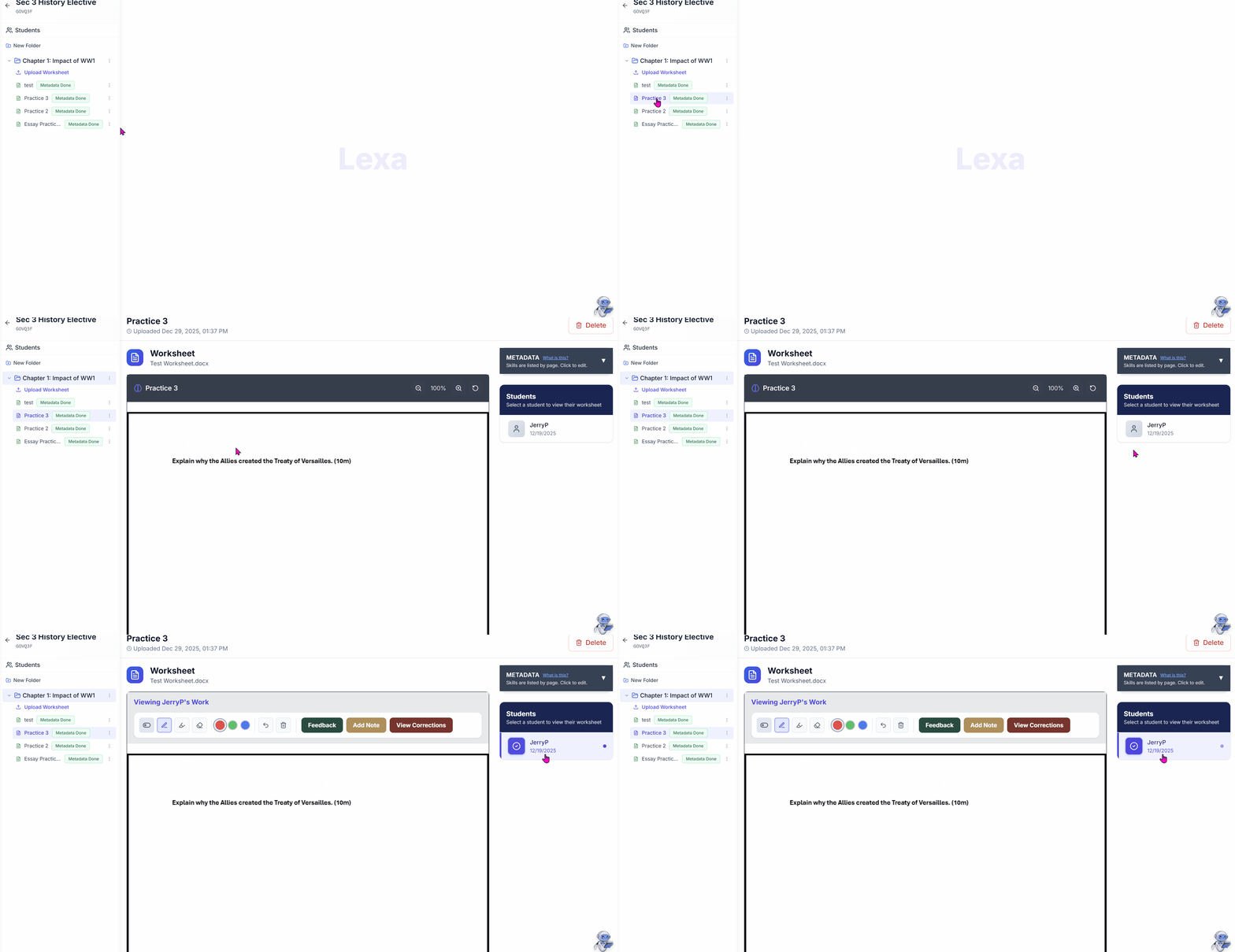
-
Teacher opens up a worksheet.
-
Selects a student name from the Student panel on the right.
-
Their saved worksheet loads for review. The teacher view does not continuously refresh as the student types; select the student again to reload their work.
Adding Annotations
While spectating, you can add feedback directly on the student's work:
-
Click anywhere on the worksheet to add a text comment.
-
Use the highlight tool to draw attention to specific areas.
-
Add corrections or hints without giving away answers.
Students see your annotations immediately and can respond to them.
When to Use Spectating
- During class: Monitor students during independent work time
- Homework review: Check on evening progress
- Before grading: Preview submissions to understand common issues