Once you've created a class, you'll need to invite your students. Lexa uses unique class codes to manage enrollment.
Key Information
Key Information
- Every class has a unique 6-character code
- Share the code with students to join
- Letter case does not matter
- View enrolled students in the Students tab
- Regenerate codes anytime from settings
Finding Your Class Code
-
Go to My Classes from your dashboard.
-
Click on the class you want to share.
-
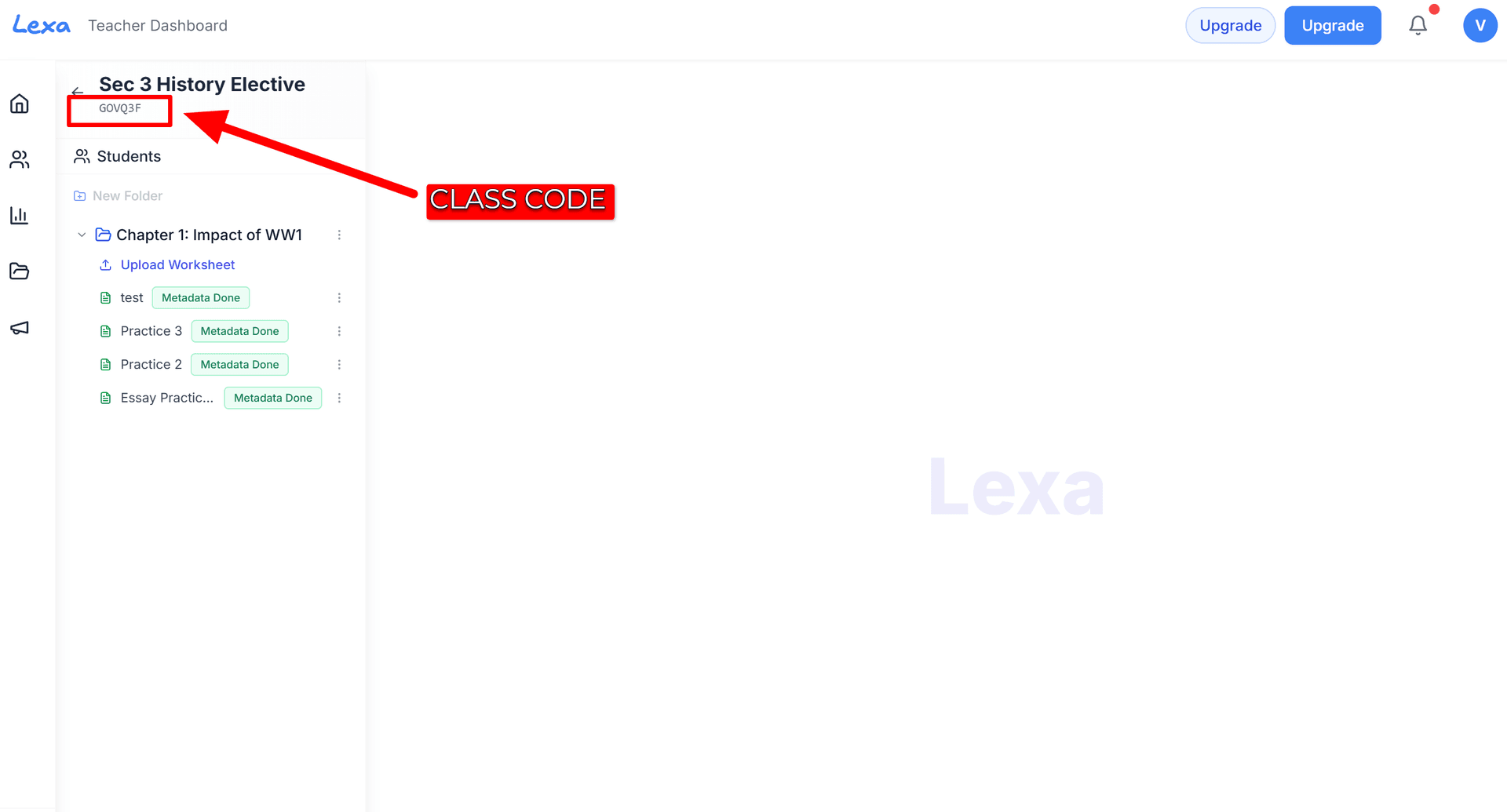
The Class Code is displayed at the top of the class page.
Sharing the Code
You can share your class code in several ways:
- In class: Display it on your whiteboard or projector
- Via email: Send it directly to students
- LMS: Post it in Google Classroom, Moodle, or your school's system
- Printed: Include it on syllabi or handouts
How Students Join
-
Students create a Lexa account (or log in).
-
They click Join Class on their dashboard.
-
They enter your Class Code and click Join.
-
You'll see them appear in your class roster.
Managing Students
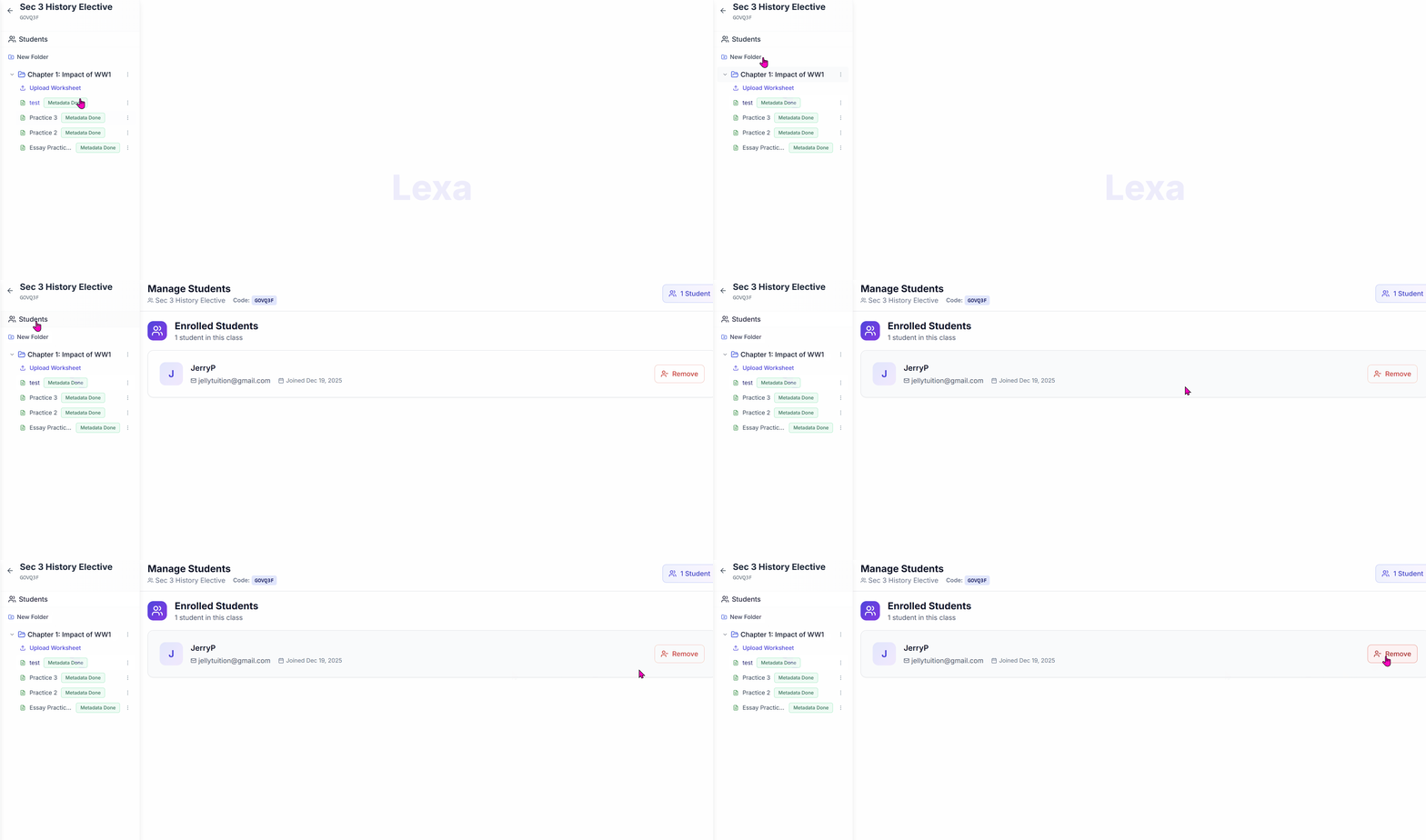
- View enrolled students in the Students tab of your class
- Remove students by clicking the options menu next to their name
- Regenerate your class code from class settings if needed
Troubleshooting
- Student can't join: Ensure they're using a student account, not a teacher account
- Wrong code error: Letter case does not matter; check the code for typos
- Unwanted students: Remove them and regenerate a new class code