When you upload a worksheet, Lexa automatically analyzes it to detect questions and the skills they assess. This powers skill tracking and student performance insights.
Key Information
Key Information
- Happens automatically when you upload worksheets
- Extracts questions, skills, and mark allocations
- View in the Metadata panel on worksheet pages
- Click any skill to edit and override Lexa's suggestions
- Takes 15-30 seconds to process
What Gets Extracted
For each worksheet page, Lexa identifies:
- Questions — The question text and which page it appears on
- Skills — What ability is being tested (e.g., "Source Analysis", "Critical Thinking", "Calculation")
- Max Score — Mark allocations like "(5 marks)" or "[10]" if visible
Where to Find It
After uploading a worksheet, open it from your class folder. You'll see a Metadata panel on the right side of the page.
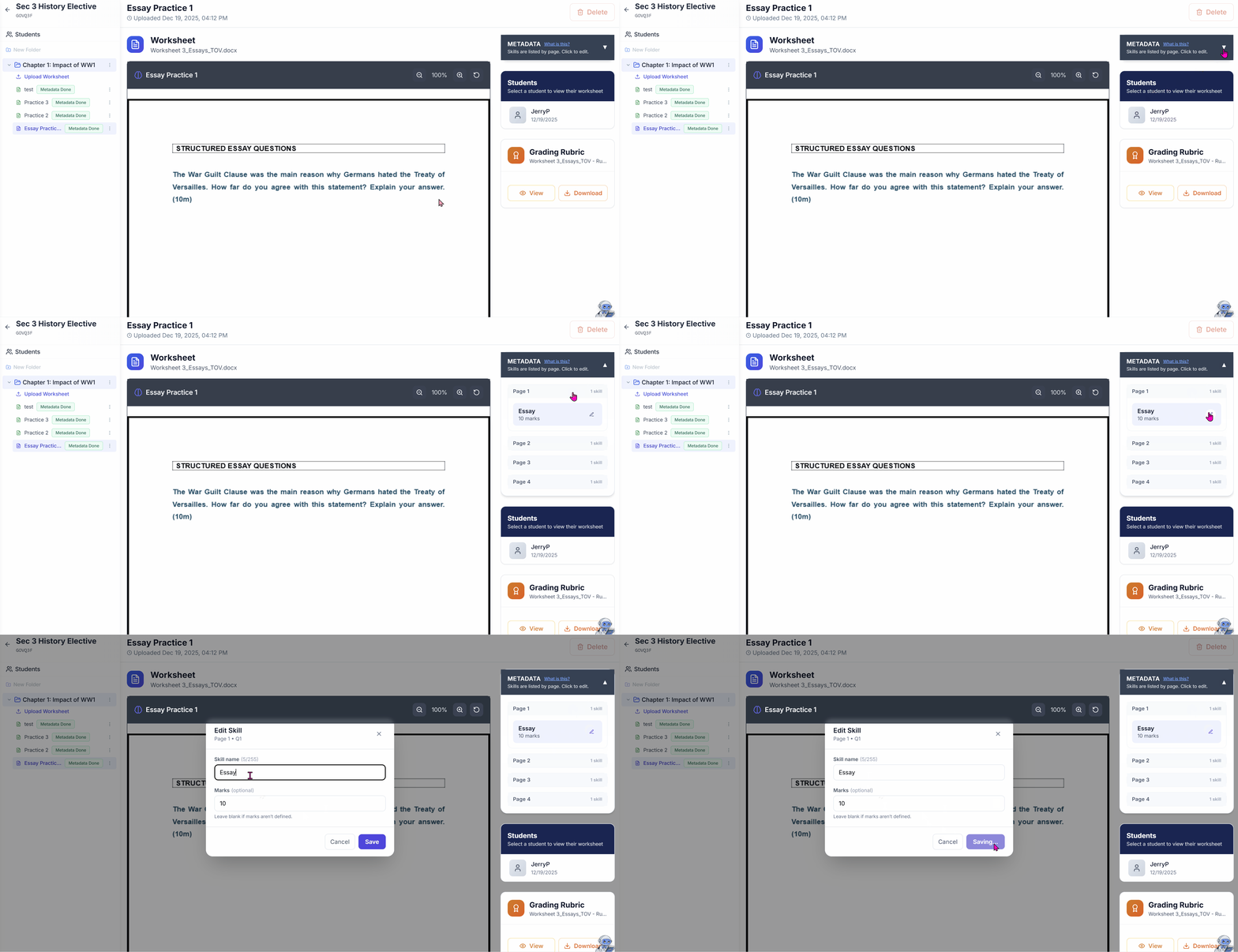
This panel shows:
- Skills organized by page number
- The detected question text
- Maximum marks (if detected)
Click "What is this?" in the panel header to return to this help article.
Editing Skills
Lexa does its best, but you know your curriculum. To edit:
- Click any skill entry in the Metadata panel
- Update the skill name to match your terminology
- Adjust the max score if needed
- Click Save
Your edits override Lexa's suggestions and are marked as "Teacher" in the system.
Status Indicators
In your class folder, worksheets show their metadata status:
- Metadata Done — Extraction completed successfully
- Skill tagging failed — Lexa couldn't extract skills (worksheet still works normally)
- No indicator — Still processing or pending
If extraction fails, the worksheet is fully functional—you just won't have automatic skill tagging.
Why This Matters
Metadata extraction enables:
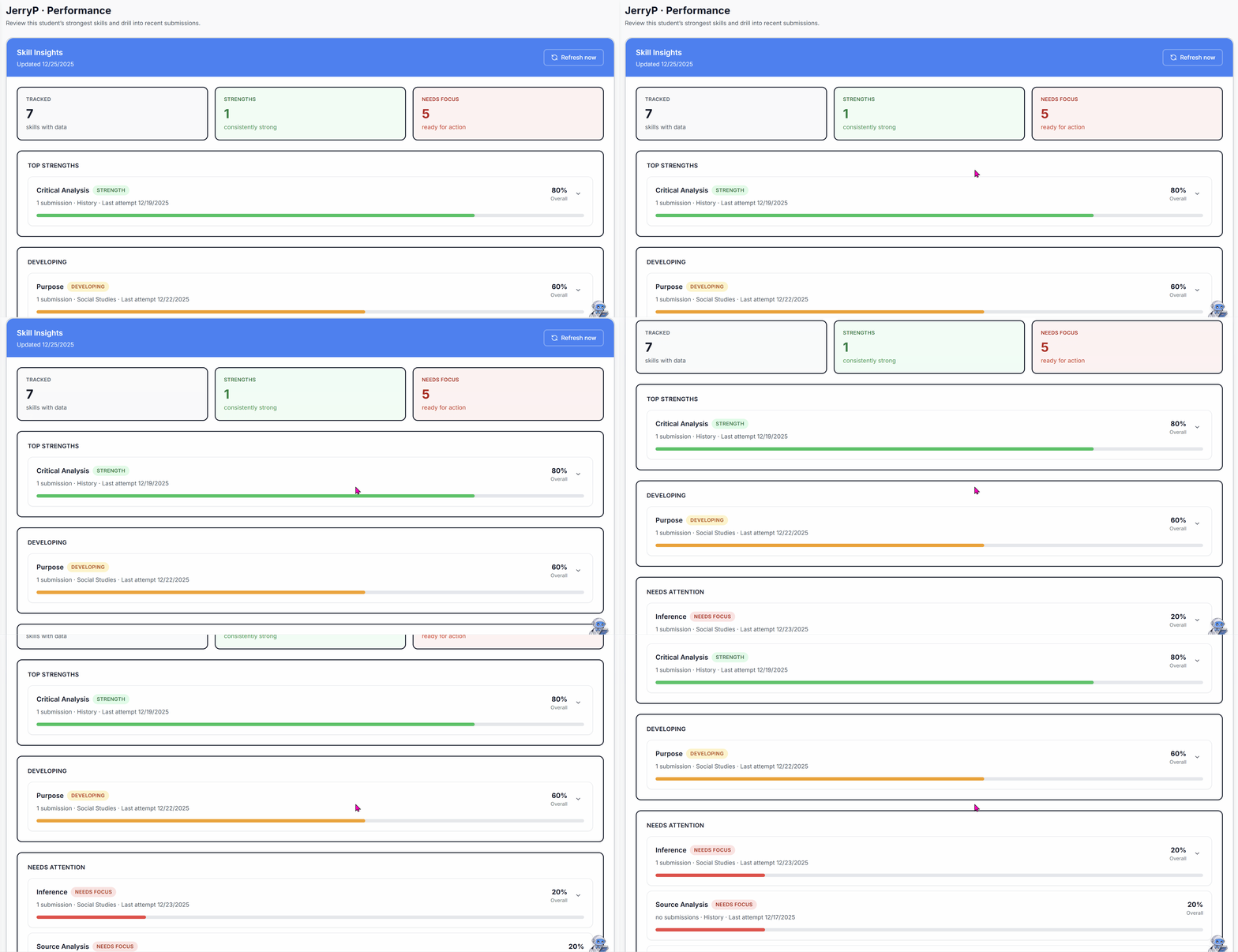
- Skill Insights — See which skills each student is strong or weak in
- Performance Tracking — Track progress across multiple worksheets
- Targeted Feedback — Understand patterns in student performance
Tips for Best Results
- Use clear PDFs — Scanned documents work, but native PDFs extract better
- Include mark allocations — Write "(5 marks)" or "[10]" so Lexa can detect max scores
- Number your questions — Numbered questions (1, 2, 3...) are easier to detect
- Avoid answer keys in the same file — Lexa skips pages that look like marking schemes
Processing Time
Extraction typically takes 15–30 seconds depending on worksheet length. Longer worksheets (20+ pages) may take up to a minute.
Note: Metadata extraction happens automatically—you don't need to do anything. Just upload your worksheet and Lexa handles the rest.