Ask Lexa is an intelligent assistant that helps students understand worksheet questions when they're stuck. Understanding how it works helps you guide students to use it effectively.
Key Information
Key Information
- Gives hints and guidance, NOT direct answers
- Uses YOUR Knowledgebase materials for consistent guidance
- Available 24/7 for homework help
- Analyzes the current page while having context of the full worksheet
- Helps students learn by providing scaffolding, not solutions
What Is Ask Lexa?
Ask Lexa is a feature students can use while working on worksheets. When they click the Ask Lexa button, the system analyzes the current worksheet page and provides guidance to help them understand what to do.
Key point: Ask Lexa doesn't give answers—it helps students figure out how to approach the problem themselves.
How Students Use It
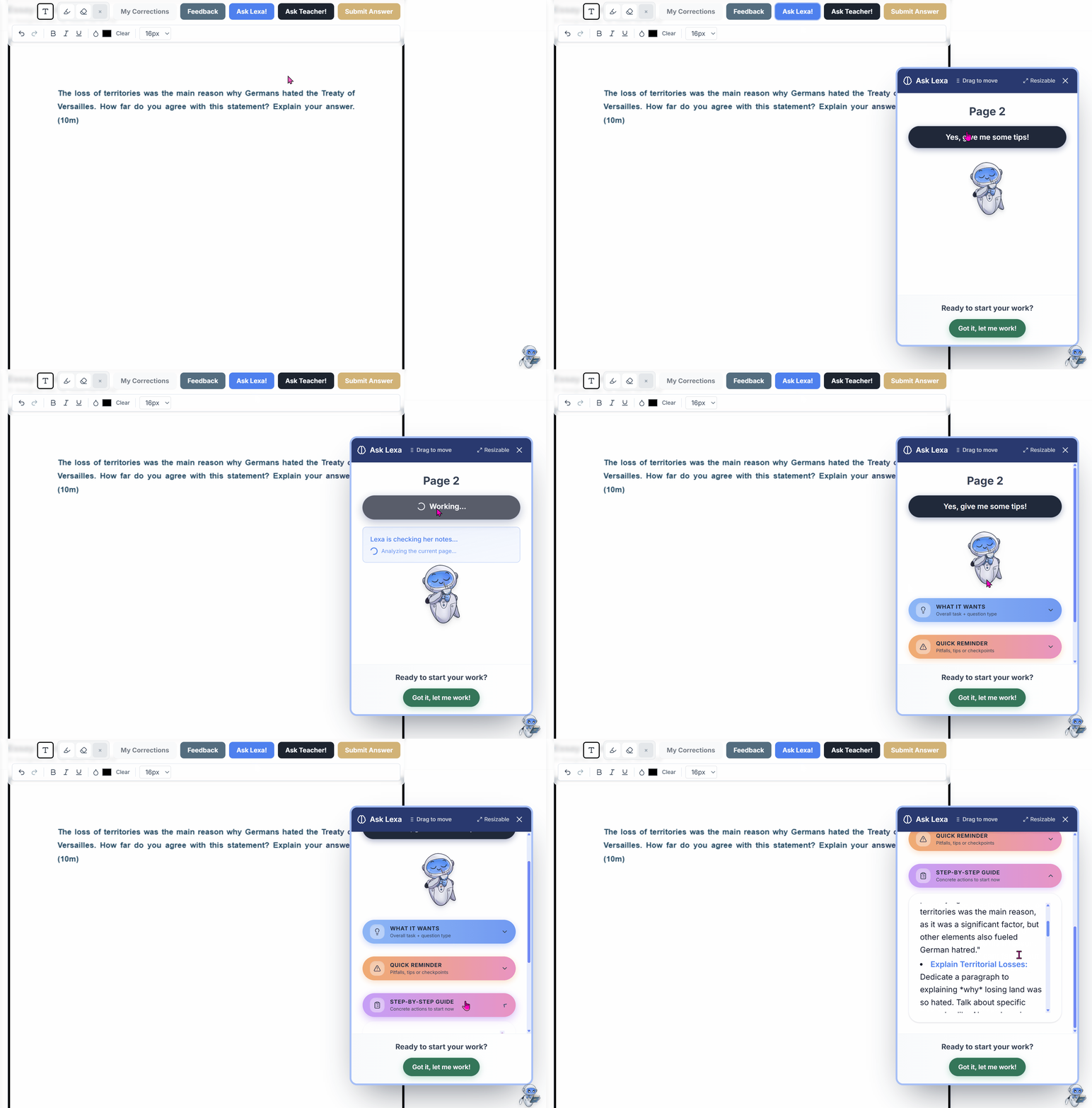
- Student is working on a worksheet and gets stuck on a question
- Clicks the Ask Lexa button in the worksheet header
- On pages with several questions, Lexa shows a question picker (Q1, Q2, … or "Whole page") so the student can say exactly which question they need help with — if they were already typing in an answer box, that question is pre-selected
- Lexa analyzes the chosen question on the current page (while having context of the full worksheet)
- Provides one short, easy-to-read answer:
- What the question is asking - in one plain sentence
- How to tackle it - a few concrete steps to get started
- Your framework - the named structure/method from your Knowledgebase, when available
- A sentence starter - to give them momentum without giving the answer
What Lexa Provides
✅ What Students Get:
- Hints and guidance - Helps students understand what to do
- Step-by-step approach - Breaking down complex questions
- Your teaching methods - Uses your Knowledgebase materials for consistent guidance
- Question analysis - Explains what the question wants
- Scaffolding - Support that helps them think through the problem
❌ What Students Don't Get:
- Direct answers - Students still need to figure it out themselves
- Complete solutions - Maintains academic integrity
- Homework completion - It's a learning tool, not a shortcut
How It Uses Your Knowledgebase
This is the powerful part: When a student asks Lexa for help:
- Lexa analyzes the current worksheet page visually (question, images, sources)
- Has context of the full worksheet (so it understands multi-part questions)
- References your Knowledgebase materials for relevant teaching guidance
- Provides personalized help that matches your teaching approach and terminology
This is why adding materials to your Knowledgebase is important - it ensures Lexa guides students using YOUR methods and YOUR terminology.
Example:
- With your KB materials: Lexa might say "Remember the PEEL structure we learned: Point, Evidence, Explanation, Link"
- Without your KB materials: Lexa gives more generic essay structure advice
The more detailed your uploaded guides, the more personalized help Lexa can provide!