Students receive two types of feedback after submitting work: instant AI feedback from Lexa and your personal feedback. Understanding how these work together helps you provide effective guidance.
Key Information
Key Information
- Lexa provides instant feedback when students submit answers
- You can add your own feedback and override Lexa's score
- Your feedback always takes precedence over Lexa's
- Both types of feedback appear together for students
Lexa Feedback (After Submission)
What it is: Instant feedback students receive when they submit an answer.
What Students See
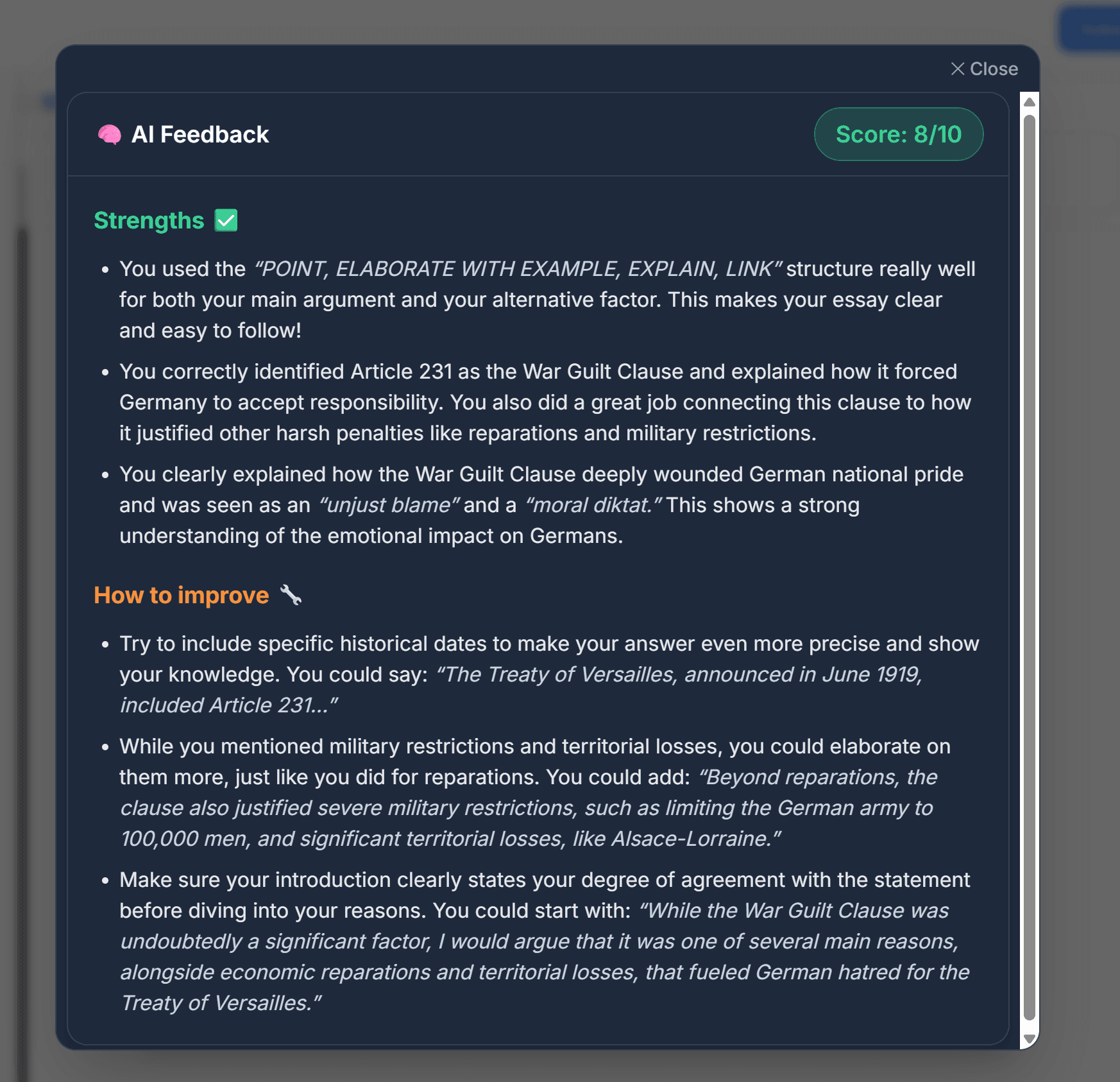
After clicking Submit Answer, students immediately receive:
- Score - Based on your rubric (if provided) or general assessment
- Strengths - What they did well in their answer
- Areas to Improve - Specific aspects that need work
- Concrete Suggestions - Examples and steps to improve their answer
How Lexa Feedback Works
Lexa analyzes:
- The student's submitted answer
- Your rubric (if you uploaded one for the worksheet)
- Relevant materials from your Knowledgebase
- The question requirements
Then generates feedback in plain language students can understand.
The feedback is designed to help students learn what they did well and how to improve, not just give them a score.
Your Feedback Alongside Lexa Feedback
When you spectate student work and add feedback, students see:
- Lexa's Feedback - The instant automated feedback with score
- Your Feedback - You can add your own qualitative feedback and override Lexa's score if necessary
Both appear together so students get both immediate guidance and your personal teaching insights. Your score always takes precedence over Lexa's automated score.
How to Override Scores
When spectating student work, you can:
- View the Lexa-generated score and feedback
- Add your own assessment and comments
- Enter your score - this becomes the final grade
- Students will see both Lexa's feedback and your score
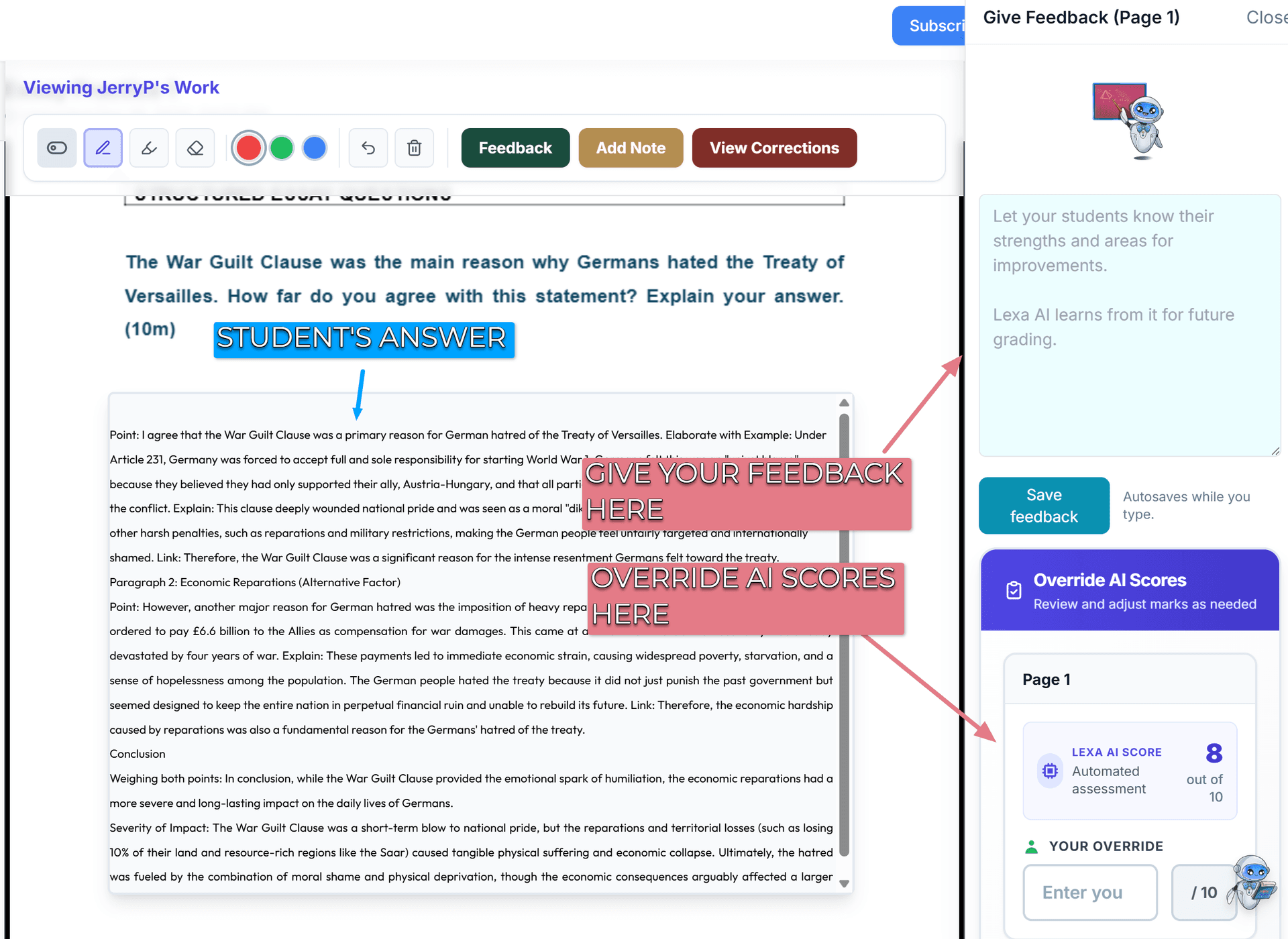
Your score always takes precedence. This gives you full control while students still benefit from instant initial feedback.
Tips for Teachers
- Add rubrics to worksheets - Improves Lexa feedback quality and consistency
- Review Lexa feedback - Check what students are receiving and add your perspective
- Override scores when needed - You have full control over final grades
- Add personal context - Your feedback provides insights that AI cannot
- Use both together - Students benefit from instant guidance and your expertise