Students have tools for independent study and tracking their progress. Understanding these helps you prepare materials and guide students effectively.
Key Information
Key Information
- Students generate revision pages from YOUR Knowledgebase documents
- Creates summaries and flashcards, NOT practice questions
- Requires Level + Subject metadata and the file to finish processing (status Ready)
- Files must be ≤ 2MB (converted PDF size) to generate revision pages
- Performance page shows skill strengths and areas to improve
- All content comes from your teaching materials
Revision Page Generator
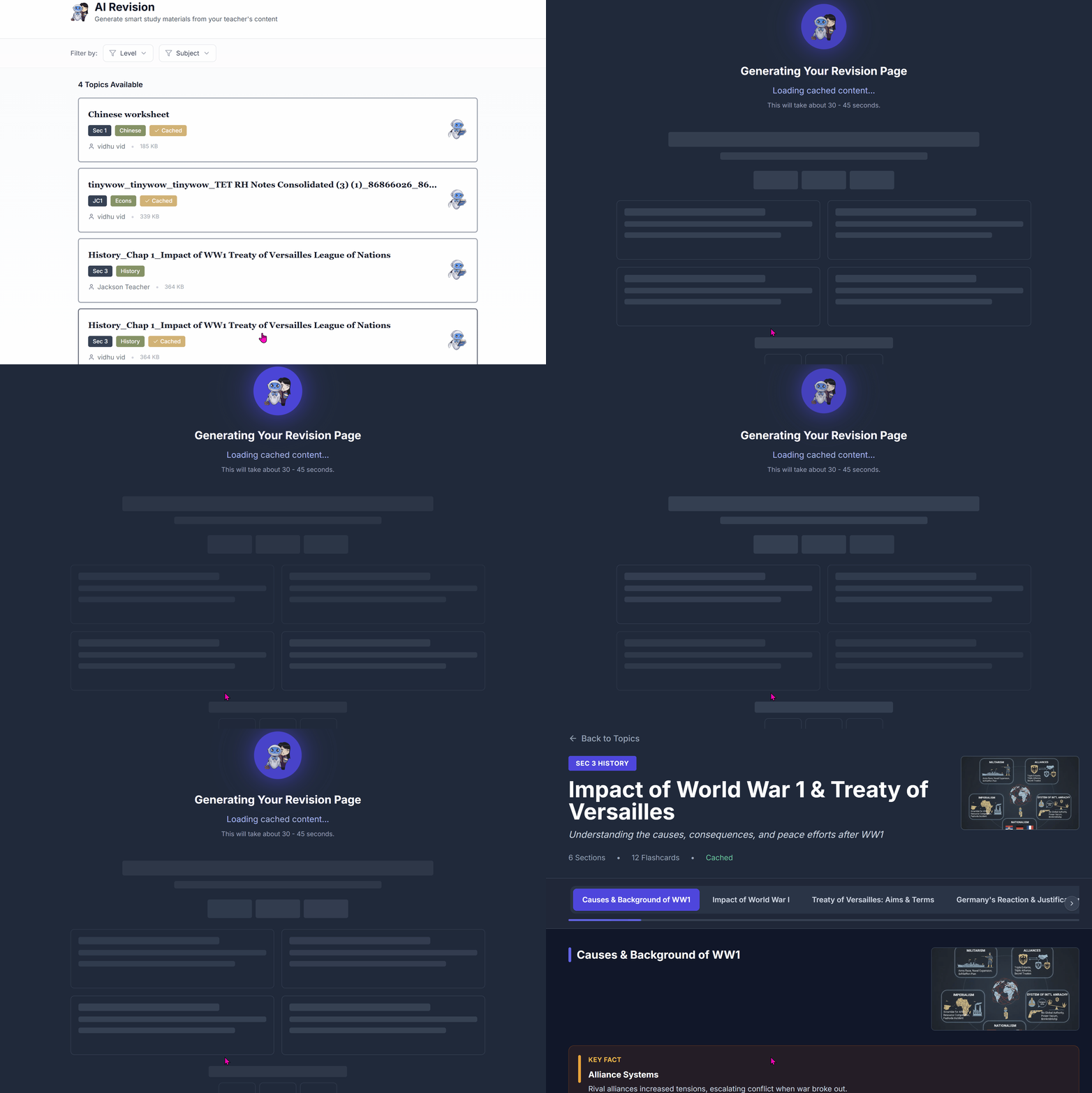
What it is: A tool that generates study materials (summaries and flashcards) from documents in your Knowledgebase.
What Students Can Generate
When students use the Revision tool, Lexa creates:
- Revision Summaries - Condensed notes highlighting key concepts from your documents
- Flashcards - Question-and-answer cards for active recall practice
- Key Terms & Figures - Important definitions and concepts highlighted
Important: Students do NOT get practice questions or adaptive quizzes. This is purely for generating study notes and flashcards from your materials.
How Students Use It
- Go to Revision from their dashboard
- Filter documents by Level and Subject (if you've set these)
- Click on a document from your Knowledgebase
- Lexa generates a revision page with summaries and flashcards
- Use flashcards for active recall practice
- Review key concepts before tests
Requirements for You (Teacher)
For students to use revision materials effectively:
- Upload documents to your Knowledgebase and wait for status Ready
- Add Level metadata (e.g., "Grade 10", "A-Level", "University")
- Add Subject metadata (e.g., "Mathematics", "History", "Biology")
- Keep documents ≤ 2MB (converted PDF size); larger files are rejected

Without Level/Subject metadata (or if the file is still processing), students won't see your documents in the Revision tool.
See the Enabling Revision Materials article.